
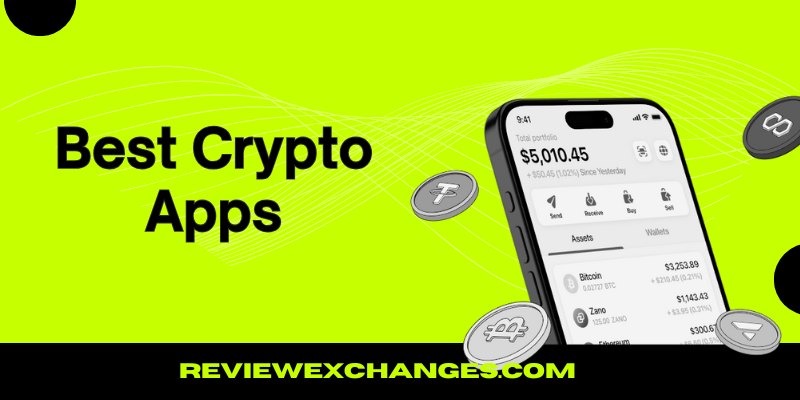
The best crypto app picks for 2026 are MEXC, Bitget, KuCoin, Binance, Bybit, Pionex, Gate, WEEX, Kraken, and Coinbase. Each crypto app gives you iOS and Android access, plus a full web platform you can use on Windows or Mac, so trading stays simple across devices.
Well, a crypto app is simply where you buy, sell, and trade coins like Bitcoin. You add cash or crypto, pick a trading pair, and place an order, so your costs come from maker and taker fees, plus deposit and withdrawal charges. Your crypto app choice sets those costs. Honestly, low fees matter once you trade more than a few times a month. A 0.2% fee on a $500 trade is $1, so 50 trades cost $50.
In this guide, you will see each crypto app broken down by features, pros, and cons. You will also get a simple step-by-step guide on how to buy cryptocurrency inside a crypto app
Table of Contents
Top 10 Cryptocurrency Trading Apps Ranked (Buy, Trade, Send Bitcoin)
After reviewing more than 30 platforms, including spot exchanges, derivatives exchanges, and a few bot-based tools, you get this ranked list of the top 10 crypto app options for 2026.
- MEXC: Best crypto app for no-KYC access and low fees
- Bitget: Best crypto app for iOS and Android trading
- KuCoin: Best crypto app for desktop and laptop users
- Binance: Best crypto app for high-volume trading and deep liquidity
- Bybit: Best crypto app for derivatives and advanced trading tools
- Pionex: Best crypto app with built-in bots and low-cost automation
- Gate: Best crypto app for Windows users and a wide coin list
- WEEX: Best crypto app for leverage trading and simple promos
- Kraken: Safest crypto app for U.S. users who want strong security
- Coinbase: Easiest crypto app for beginners to buy and send Bitcoin
How do we rank these crypto app picks for you? Honestly, the list starts with the basics that matter most, like trading fees, liquidity, and how fast orders fill. Each crypto app also gets judged on security features, supported coins, how easy it feels to buy and send Bitcoin, and how simple the app is on both mobile and desktop.
Best Bitcoin Apps for Trading (Recommended Crypto Apps Right Now)
MEXC (Zero Fees & No KYC Trading)
- Top Features: Derivatives Trading, Spot, Launchpad, Earn, Demo Trading
- Supported Coins: 2200+ tradable assets including BTC and ETH
- Trading Fees: 0% (No fees)
- Deposit methods: Global bank transfer, Simplex, Banxa, and more
Bitget (Best For Crypto Copy Trading)

- Top Features: Spot, Futures with 125x leverage, Trading bots, and Copy trading
- Supported Coins: 850+ including low-cap altcoins
- Trading Fees: 0.1% maker/taker
- Deposit methods: Bank transfer, debit/credit card, P2P marketplace
Top Crypto Trading Apps Compared
| App (Exchange) | Best fit for | Platform Availability | KYC | Supported Coins | Trading fees (maker/taker) |
|---|---|---|---|---|---|
| MEXC | No-KYC and lowest fees trading | iOS, Android, Desktop (Windows/Mac) | Optional | 3000+ | 0% / 0.01% |
| Bitget | iOS and Android trading | iOS, Android, Desktop (Windows/Mac) | Mandatory | 1200+ | 0.1% |
| KuCoin | Desktop and laptop trading | iOS, Android, Desktop (Windows/Mac) | Mandatory | 900+ | 0.1% |
| Binance | High-volume trading for beginners | iOS, Android, Desktop (Windows/Mac) | Mandatory | 400+ | 0.1% |
| Bybit | Derivatives and advanced trading tools | iOS, Android, Desktop (Windows/Mac) | Optional | 1600+ | 0.1% |
| Pionex | Free automation with built-in bots | iOS, Android, Desktop (Windows/Mac) | Mandatory | 250+ | 0.05% |
| Gate | Windows-focused trading and wide coin list | iOS, Android, Desktop (Windows/Mac) | Mandatory | 3700+ | 0.1% |
| WEEX | Leverage trading | iOS, Android, Desktop (Windows/Mac) | Optional | 1700+ | 0.1% |
| Kraken | Safety-focused for U.S. users | iOS, Android, Desktop (Windows/Mac) | Mandatory | 300+ | 0%–0.25% / 0.05%–0.4% |
| Coinbase | Easiest buying flow for beginners | iOS, Android, Desktop (Windows/Mac) | Mandatory | 250+ | 0.4% / 0.6% (Advanced) |
Best Crypto Trading Apps for Beginners Reviewed (Full Guide)
1. MEXC: Best crypto app for no-KYC and lowest fees trading
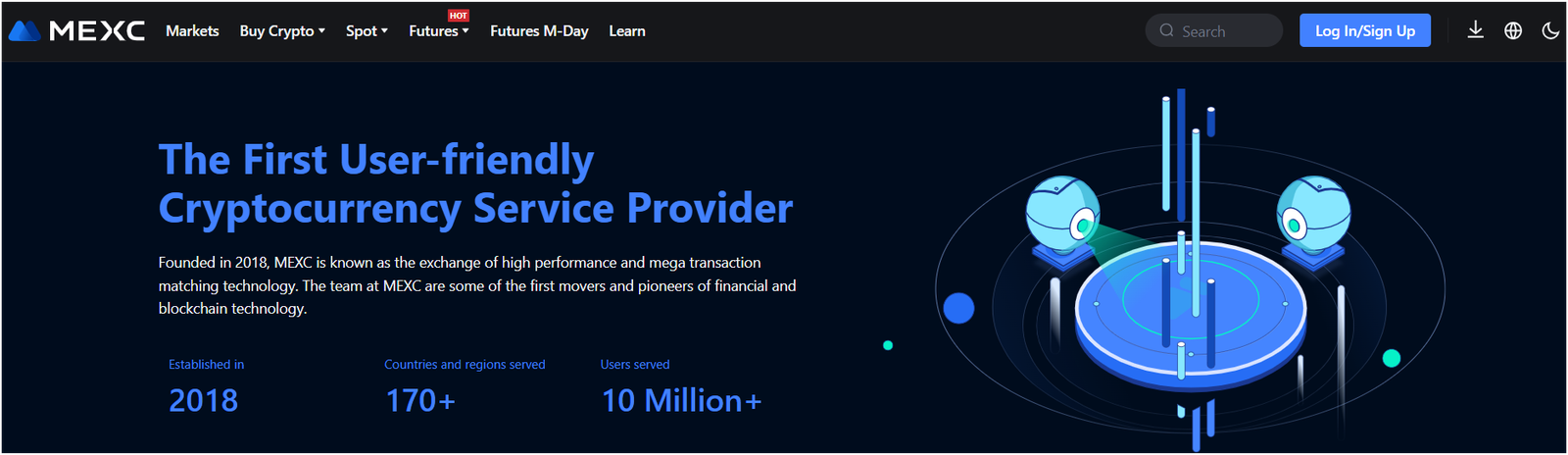
MEXC is a crypto app that fits you best when you want low trading costs and a faster start with fewer steps. Maker fees can be zero on many markets, which is a big deal when you start using limit orders instead of quick buys. Fee promos also show up often, so checking the promo pairs before placing a trade can save you a bit without changing your strategy.
Well, the biggest draw is how quickly you can get moving while still having a huge coin list to explore. Mobile use feels simple for quick trades, and desktop trading feels better for charts and order control. Basic safety still matters on this crypto app, so turning on 2FA and doing a small test withdrawal before sending a large amount can prevent the most common mistakes.
Alright, MEXC makes the most sense for you when low fees and fast access both matter.
Key Features |
|
|---|---|
| Promotions | $1,000 sign-up bonus and 50% trading fee discount using referral code “2YUvQ” |
| Trading Fees (Maker/Taker) | 0% maker and 0.01% taker |
| Exchange Products | Spot, Futures, Grid Trading, Staking, Meme Coin Trading Zone, and Instant Crypto-to-Crypto Convert |
| Supported Cryptocurrencies | Bitcoin, Ethereum, Solana, and 3,000+ more altcoins |
| Payment Methods | Credit/debit cards, bank transfers (SEPA and SWIFT), and P2P trading with local currencies (Only crypto without KYC) |
| Licenses | No |
| Security | 2FA Google Authenticator, Anti-Phishing code, withdrawal address whitelisting, and cold storage |
| KYC/AML | Trade, deposit, and withdraw up to 10 BTC /daily without KYC verification |
2. Bitget: Best crypto trading app for iOS and Android
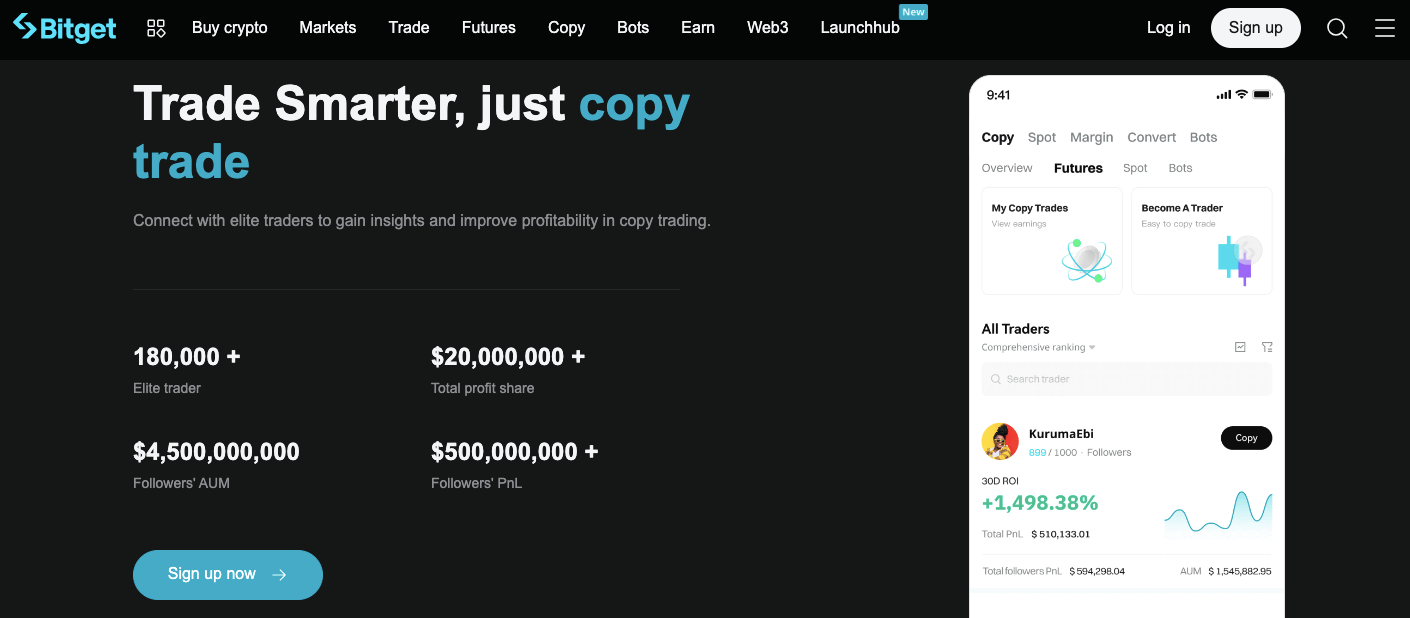
Bitget is a crypto app that fits you best when most of your trading happens on your phone and you want a clean, mobile-first setup. The screens usually keep the key actions close, so buying, selling, and checking open orders feels less confusing for a beginner. Fewer taps sounds small, but it helps a lot once markets start moving fast.
Look, the real win is daily use on iOS and Android. Price alerts, quick order entry, and simple portfolio views make it easier to stay organized without staring at charts all day. Safer habits still help on this crypto app, so starting with spot trading and double-checking the send network before moving coins can save you from painful errors.
So, Bitget makes the most sense for you when phone trading is your main style.
Key Features |
|
|---|---|
| Promotions | $1,530 sign-up bonus and 30% trading fee rebate using referral code “tpck” |
| Trading Fees (Maker/Taker) | 0.1% |
| Exchange Products | Spot, Margin, Futures, Copy Trading, P2P trading, Bitget Wallet, NFTs, and more |
| Supported Cryptocurrencies | Bitcoin, Ethereum, Solana, and 1200+ more altcoins |
| Payment Methods | VISA, Mastercard, Apple Pay, Google Pay, and 100+ local methods using P2P |
| Licenses | Virtual Asset Service Provider (Poland), VASP (Lithuania), Blockchain Service Provider in El Salvador |
| Security | 2FA SMS, 2FA Google Authenticator, 256-Bit SSL Encryption, Anti-Phishing code, withdrawal address whitelisting, and insurance fund |
| KYC/AML | Required for cryptocurrency deposits, trades, and withdrawals |
3. KuCoin: Best crypto app for desktop and Laptop
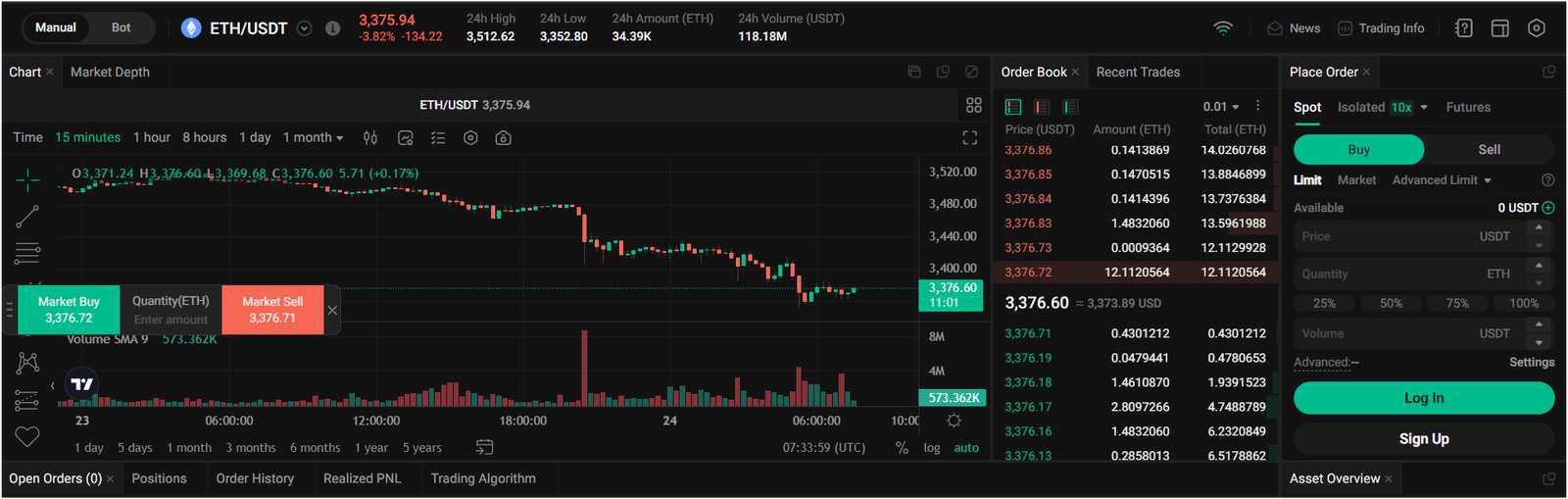
KuCoin is a crypto app that fits you best when you like trading on a bigger screen and want more control over orders. Desktop and laptop trading makes it easier to track charts, watch several pairs, and manage limit orders without feeling cramped. Base spot fees are 0.10% for maker and 0.10% for taker, and holding KCS can lower fees as tiers improve, like dropping maker fees to 0.07% at an early level.
Well, the extra space helps you slow down and trade with less stress. The coin list is also a big reason people stick around, since smaller tokens are easier to find. Safer beginner moves still apply on this crypto app, so spot first, small test sends, then bigger transfers after everything looks right.
Thus, KuCoin makes the most sense for you when desktop trading feels easier and coin variety matters.
Key Features |
|
|---|---|
| Promotions | $10,800 sign-up bonus and 20% trading fee discount using referral code “r8G7TQH” |
| Trading Fees (Maker/Taker) | 0.1% |
| Exchange Products | Spot, Margin, Futures, Copy Trading, Trading Bots, P2P trading, NFTs, and more |
| Supported Cryptocurrencies | Bitcoin, Ethereum, Solana, and 900+ more altcoins |
| Payment Methods | VISA, Mastercard, bank transfers, Wise, PayPal, Zelle, Skrill, and 300+ local methods using P2P |
| Licenses | Malta Financial Services Authority (MFSA) and Financial Services Authority of Seychelles (FSA) |
| Security | 2FA Google Authenticator, SSL Encryption, Anti-Phishing code, withdrawal address whitelisting, and cold storage |
| KYC/AML | Yes (Mandatory) |
4. Binance: High-volume crypto trading app for beginners
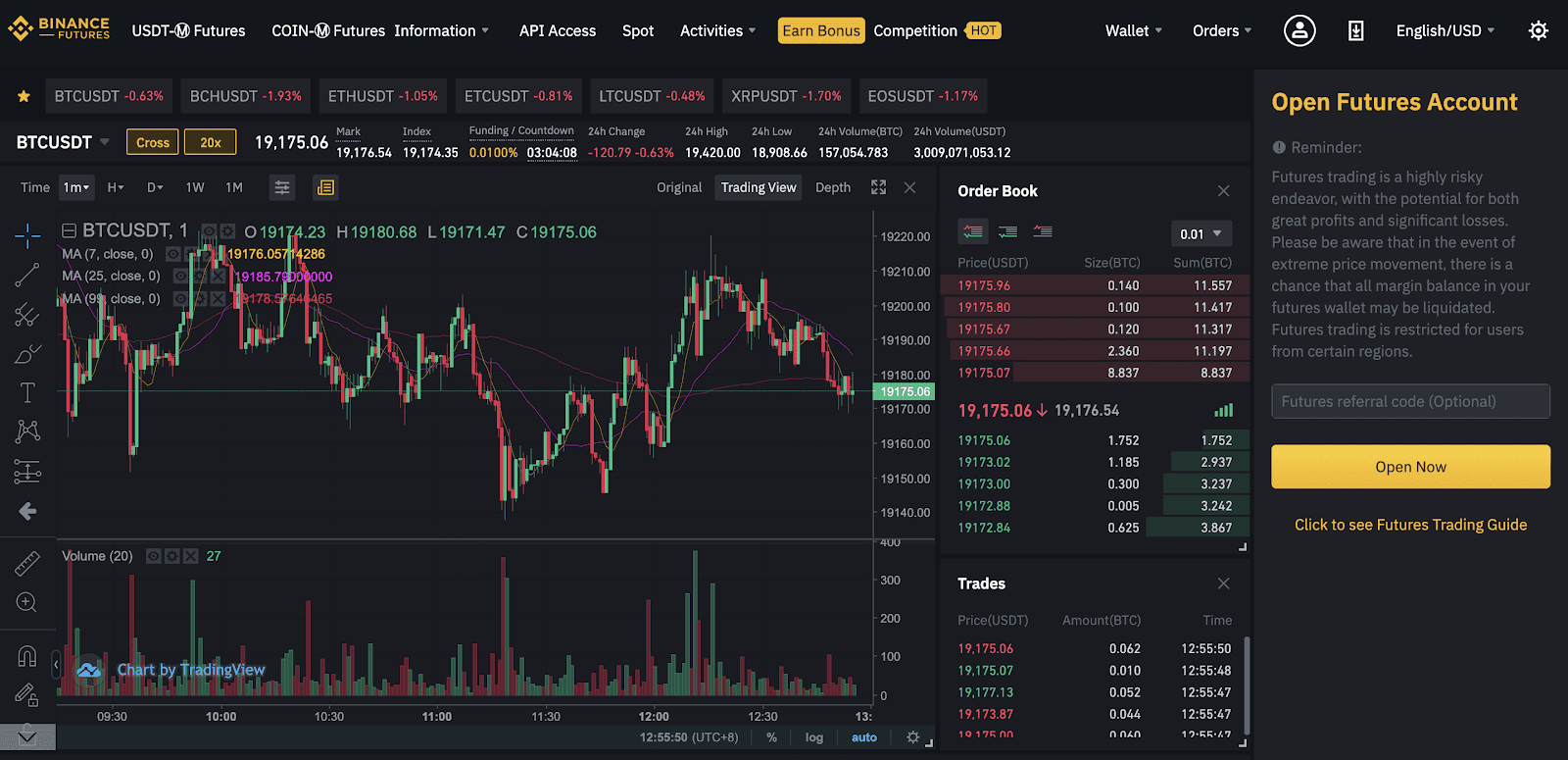
Binance is a crypto app that fits you best when you want strong liquidity so trades fill fast and prices feel steadier. High trading activity can reduce slippage, so buys and sells often land closer to the price you expect, which really helps while you are learning. Mobile works well for quick checks, and desktop is useful for setting limit orders and tracking open trades.
Well, beginners usually do better with a simple plan here. Spot trading keeps risk lower than leverage products, and limit orders help you control both price and cost. Clear habits matter on this crypto app, so reviewing fees before confirming and doing a small test withdrawal first can keep surprises away.
Binance makes the most sense for you when fast fills and liquidity matter more than anything else.
Key Features |
|
|---|---|
| Promotions | $100 sign-up bonus and 20% trading fee discount using referral code “KNQRCYIH” |
| Trading Fees (Maker/Taker) | 0.1% |
| Exchange Products | Spot, Margin, Futures, Options trading, Copy Trading, Trading Bots, P2P trading, NFTs, and more |
| Supported Cryptocurrencies | Bitcoin, Ethereum, Solana, and 400+ more altcoins |
| Payment Methods | VISA, Mastercard, Apple Pay, Google Pay, and 100+ local methods using P2P |
| Licenses | Virtual Asset Service Provider (VASP) licenses from Dubai, France, Italy, Spain, Poland, and Sweden |
| Security | $1B SAFU Fund, 2FA Google Authenticator, SSL Encryption, Anti-Phishing code, withdrawal address whitelisting, and cold storage |
| KYC/AML | Yes (Mandatory) |
5. Bybit: Best derivatives trading crypto app for advanced traders
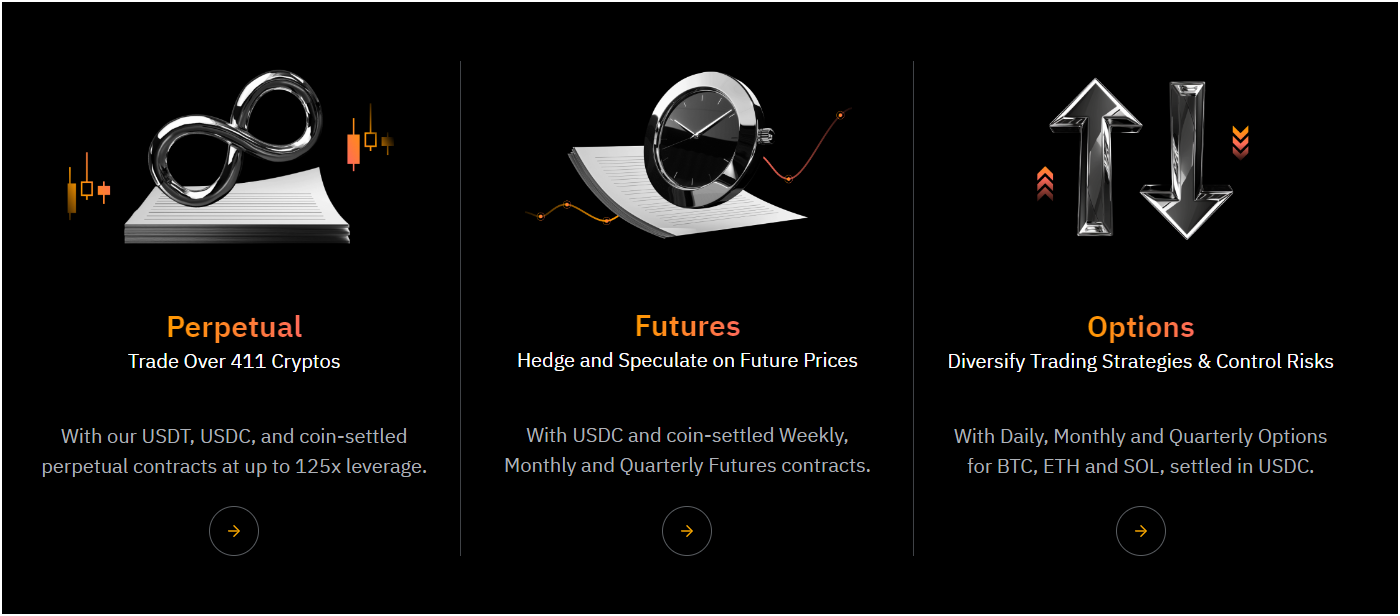
Bybit is a crypto app that fits you best once you understand derivatives and you already respect leverage risk. Derivatives trading brings more tools, but it also brings faster losses, so the platform only makes sense when you trade with rules. Mobile works for monitoring, and desktop feels better for tracking positions, orders, and risk levels at the same time.
Honestly, the key difference is the focus on advanced trading. Perpetual contracts and other derivatives need active control, so stop-loss orders and small position sizes matter more than “picking the right coin.” Funding costs can also affect results while a trade stays open, so checking that number becomes part of normal use on this crypto app.
Bybit makes the most sense for you when derivatives tools matter and you trade with a plan.
Key Features |
|
|---|---|
| Promotions | $30,000 sign-up bonus and 30% trading fee rebate using referral code “99096” |
| Trading Fees (Maker/Taker) | 0.1% |
| Exchange Products | Spot, Margin, Futures, Options trading, Copy Trading, P2P trading, NFTs, and more |
| Supported Cryptocurrencies | Bitcoin, Ethereum, Solana, and 1600+ more altcoins |
| Payment Methods | VISA, Mastercard, SEPA, SWIFT, Apple Pay, Google Pay, and 100+ local methods using P2P |
| Licenses | VASP in Dubai, FIU India, and AFSA in Kazakhstan |
| Security | 2FA SMS, 2FA Google Authenticator, 256-Bit SSL Encryption, Anti-Phishing code, withdrawal address whitelisting, and insurance fund |
| KYC/AML | Required for cryptocurrency deposits and trades. You can withdraw up to $20,000/day without KYC |
6. Pionex: Best free crypto trading app with automated bots
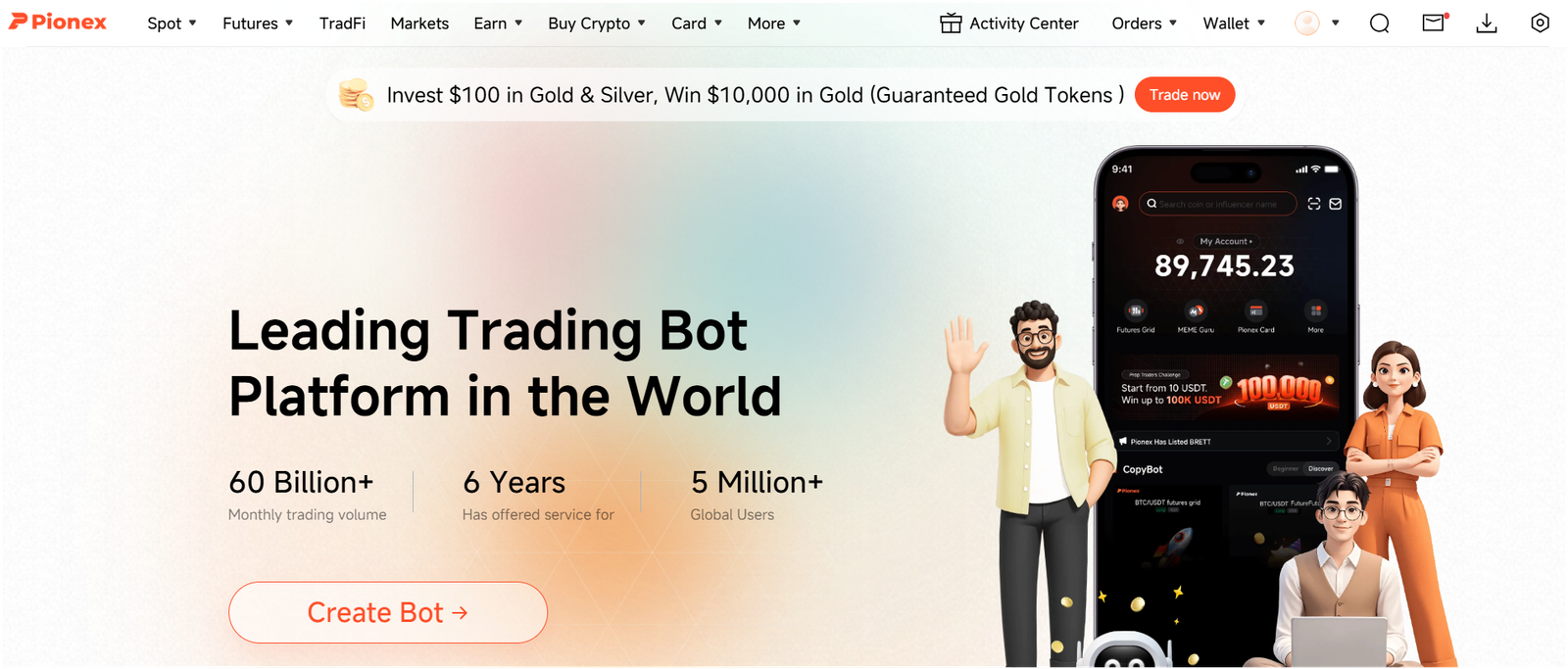
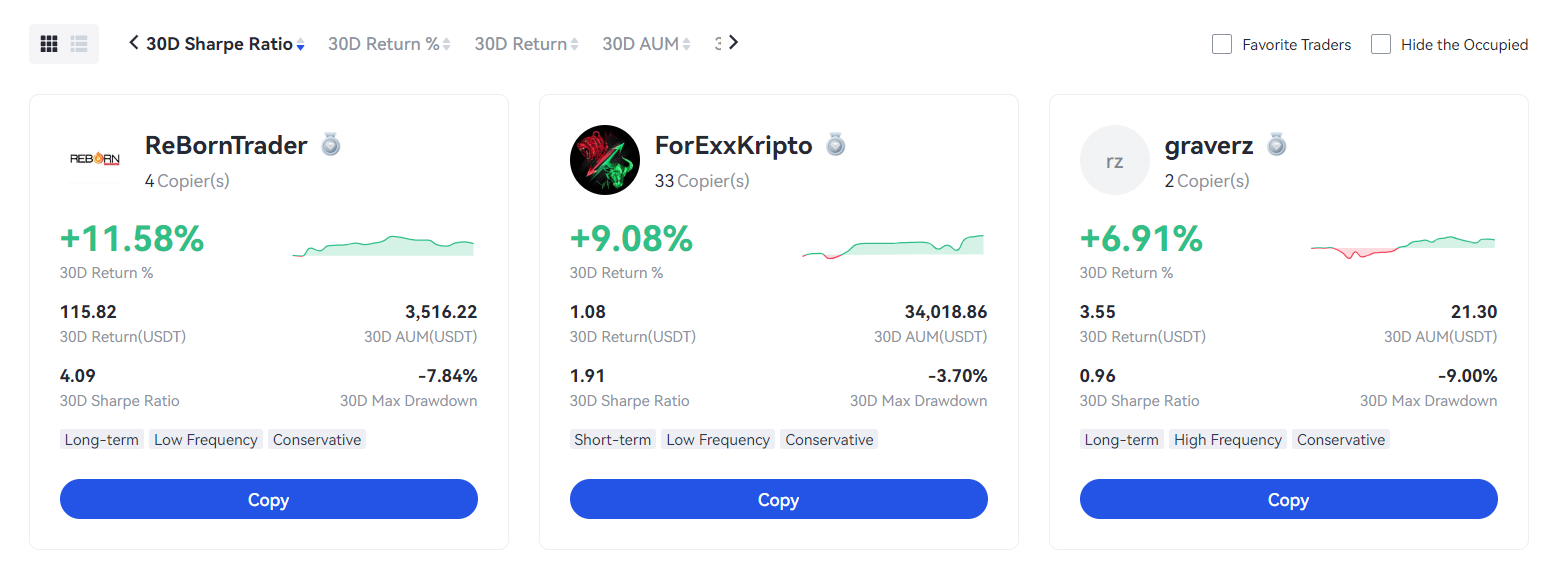
Pionex is a crypto app that fits you best when you want automated bots to handle simple strategies without extra software. Bot trading can help you stay consistent, especially with grid-style setups that buy and sell in a set range. A “free bot” angle can feel helpful for beginners, since it lowers the barrier to trying automation.
Well, results still depend on the settings you choose. A tight range can trade more often, while a wider range trades less but can survive bigger price swings. Starting small matters on this crypto app, since bots can stack small losses fast when the market trends hard in one direction. Basic safety steps like 2FA still belong here, even though trading feels more hands-off.
So, Pionex makes the most sense for you when you want automation to do the repetitive work.
Key Features |
|
|---|---|
| Promotions | 200 USDT sign-up bonus and 20% trading fee discount using the referral link |
| Trading Fees (Maker/Taker) | 0.05% per trade |
| Exchange Products | Spot, Futures, 16+ Trading Bots, P2P trading |
| Supported Cryptocurrencies | Bitcoin, Ethereum, Solana, and 350+ more altcoins |
| Payment Methods | VISA, Mastercard, Apple Pay, Google Pay, and 100+ local methods using P2P |
| Licenses | No |
| Security | 2FA Google Authenticator, SSL Encryption, Anti-Phishing code, withdrawal address whitelisting, and cold storage |
| KYC/AML | No (Mandatory) |
7. Gate: Top-rated crypto app for Windows
Gate is a crypto app that fits you best when you want a Windows-friendly trading setup and a wide choice of coins. A bigger screen makes it easier to compare markets, watch volume, and place limit orders without rushing. Windows use also helps when you want to manage several trades, not just one quick buy.
Well, coin variety is the main reason to use it. Smaller tokens can show up alongside major coins, which gives you more options but also more junk to avoid. Slow decision-making helps on this crypto app, so checking liquidity, reading the order book, and avoiding thin markets can protect you from ugly price jumps.
Gate makes the most sense for you when Windows trading and a broad coin list both matter.
Key Features |
|
|---|---|
| Promotions | $6,666 sign-up bonus and 30% trading fee discount using referral code “99096” |
| Trading Fees (Maker/Taker) | 0.1% |
| Exchange Products | Spot, Margin, Futures, Copy Trading, Trading Bots, P2P trading, NFTs, and more |
| Supported Cryptocurrencies | Bitcoin, Ethereum, Solana, and 3700+ more altcoins |
| Payment Methods | VISA, Mastercard, bank transfers, Wise, PayPal, Zelle, Skrill, and 300+ local methods using P2P |
| Licenses | VASP registrations in Lithuania and Italy, a VFA Class 4 license in Malta, and a TCSP license in Hong Kong |
| Security | 2FA Google Authenticator, SSL Encryption, Anti-Phishing code, withdrawal address whitelisting, and cold storage |
| KYC/AML | Yes (Mandatory) |
8. WEEX: Best leverage trading crypto app
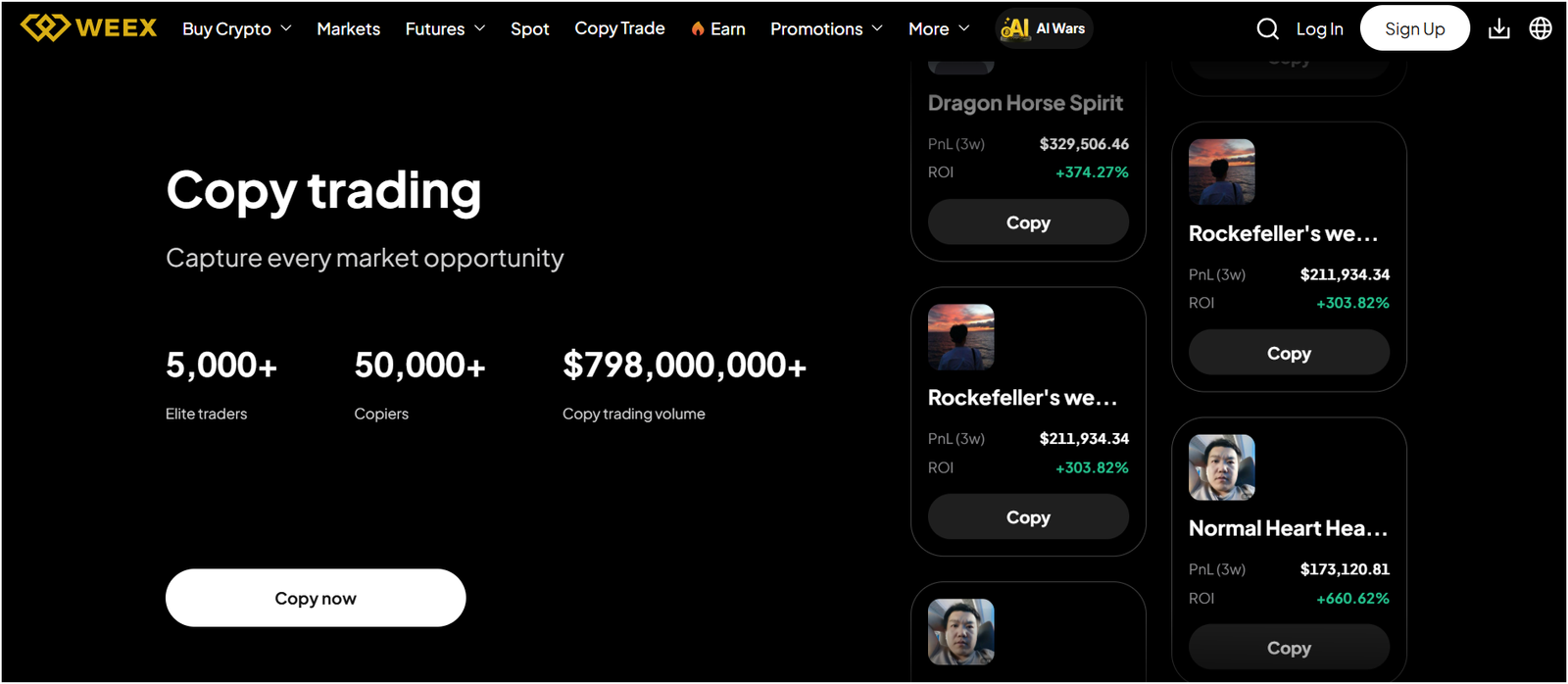
WEEX is a crypto app that fits you best when leverage trading is your main goal and you want that experience front and center. Leverage can boost gains, but it can also wipe out a trade fast, so it only works well when you control risk. Mobile is handy for quick checks, and desktop is better for charting and managing orders calmly.
Look, the smart approach is keeping leverage low and using stop-loss orders from day one. Liquidation happens faster than most people expect, so watching position size matters more than chasing a “big win.” Clean security steps still matter on this crypto app, so 2FA and careful login habits help protect your account while you trade.
Thus, WEEX makes the most sense for you when leverage trading is the main feature you want.
Key Features |
|
|---|---|
| Promotions | $5,000 sign-up bonus and 50% trading fee discount using referral link |
| Trading Fees (Maker/Taker) | 0.05% maker and 0.05% taker (using our referral link) |
| Exchange Products | Spot, Futures, Staking, Meme Coin Trading Zone, and Instant Crypto-to-Crypto Convert |
| Supported Cryptocurrencies | Bitcoin, Ethereum, Solana, and 1,000+ more altcoins |
| Payment Methods | Credit/debit cards and P2P trading with local currencies (Only crypto without KYC) |
| Licenses | No |
| Security | 2FA Google Authenticator, Anti-Phishing code, withdrawal address whitelisting, and cold storage |
| KYC/AML | Trade, deposit, and withdraw up to 10,000 USDT /daily without KYC verification |
9. Kraken: Safest crypto trading app for U.S. users
Kraken is a crypto app that fits you best when safety and a U.S.-friendly setup matter more than chasing every new coin. A security-first feel helps beginners trade with less worry, especially when the goal is buying and sending Bitcoin without drama. Mobile works for simple trades, and desktop can feel calmer for order control and account settings.
Well, safety is mostly about habits. Strong passwords, 2FA, and careful withdrawal checks matter more than any single feature. Using a test send first can prevent wrong-network mistakes, which is one of the most common ways people lose coins. A crypto app that makes security settings easy to find gives you a real advantage.
So, Kraken makes the most sense for you when you want a safer, more steady experience in the U.S.
Key Features |
|
|---|---|
| Promotions | $50 BTC bonus for all new users |
| Trading Fees (Maker/Taker) | 0.25% maker and 0.5% taker |
| Exchange Products | Spot, Futures (50x leverage only), Web3 Portal, and Custody services |
| Supported Cryptocurrencies | Bitcoin, Ethereum, Solana, and 350+ more altcoins |
| Payment Methods | VISA, Mastercard, ACH, SEPA, FAST, SWIFT, PayPal, and more |
| Licenses | SEC registered in the U.S., and registrations in Canada and the UK |
| Security | 2FA Google Authenticator, Insurance for USD balances, and cold storage |
| KYC/AML | Yes (Mandatory) |
10. Coinbase: Easiest app to buy crypto for beginners
Coinbase is a crypto app that fits you best when you want the easiest path to buy crypto and send it without getting lost in trading screens. The layout usually feels beginner-first, so the steps from “add money” to “buy” are simple and clear. Mobile use feels natural for quick buys, and desktop helps for account checks and managing transfers.
Well, ease is the main feature here. A clean interface reduces mistakes, especially during your first few purchases. Fees and spreads can still vary by trade type, so checking the total cost before confirming helps you stay in control on this crypto app. Small test sends also help, since one wrong address can ruin a day.
Alright, Coinbase makes the most sense for you when simplicity matters more than advanced tools.
Key Features |
|
|---|---|
| Promotions | $10 BTC bonus for all new users |
| Trading Fees (Maker/Taker) | 0.4% maker and 0.6% taker |
| Exchange Products | Spot, Futures (10x leverage only), Coinbase Wallet, and Custody services |
| Supported Cryptocurrencies | Bitcoin, Ethereum, Solana, and 250+ more altcoins |
| Payment Methods | VISA, Mastercard, ACH, SEPA, FAST, SWIFT, PayPal, and more |
| Licenses | New York State Department of Financial Services (BitLicense), and registrations in Canada, France, Spain, Singapore, Italy, Ireland, and the Netherlands |
| Security | 2FA Google Authenticator, Insurance for USD balances, and cold storage |
| KYC/AML | Yes (Mandatory) |
How to Choose a Most Reliable Crypto App for Trading?
A reliable crypto app is one that lets you trade at fair prices, keeps your account safe, and stays consistent when you actually need picking a most reliable crypto app for trading gets a lot easier once you match the app’s “main strength” to how you actually trade. Your list already does half the work, since each name has a clear role, so the goal is choosing the one that fits your habits without surprises.
- Main goal: Your goal decides everything, since a beginner buy-and-send experience needs different tools than active trading. Coinbase fits best once buying and sending needs to feel simple, while Kraken fits best when safety and a U.S.-friendly setup matters more than chasing every small coin.
- Fees and total cost: Fees matter because small charges stack up fast once you place more trades. Trading fees are only part of the cost, so spreads and withdrawal fees can change what you really pay. MEXC fits best when low fees and no-KYC access are the main reason you are here.
- Liquidity and trade fills: Liquidity matters because it helps your order fill near the price you see, instead of slipping to a worse price. Slippage is basically a hidden fee that shows up most during fast moves. Binance fits best once high volume and steadier fills matter most.
- Device fit: Device comfort matters because a confusing layout leads to rushed taps and costly mistakes. Phone-first trading should feel quick and clean, while desktop trading should feel controlled. Bitget fits best for iOS and Android use, KuCoin fits best for desktop and laptop control, and Gate fits best for Windows-first trading.
- Risk level: Risk matters because leverage and derivatives can liquidate you faster than you expect. Bybit fits best once advanced derivatives tools are the point, and WEEX fits best when leverage trading is the focus.
- Automation: Automation matters because bots can help you stay consistent, but bad settings can stack losses fast. Pionex fits best once built-in bots match your style and you are willing to test small first.
The most reliable crypto app for you is the one that matches your device, your risk level, and your goal, and stays predictable on fees, fills, and withdrawals every single time.
How to Buy Cryptocurrency on iOS and Android Apps?
Buying crypto on iOS and Android apps follows a simple flow that stays almost the same across platforms. A clean step-by-step process keeps you from paying extra, clicking the wrong thing, or getting stuck later during withdrawals.
- Create and secure an account: First, pick the crypto app you want to use and sign up with your email and a strong password. Turn on 2FA right away, and add any anti-phishing setting the app offers. Skipping security is a bad trade, since phone accounts get targeted a lot.
- Complete verification: Next, finish the ID step the crypto app asks for. Many apps require KYC before you can buy or withdraw, and some allow limited access first. Getting this done early avoids limits showing up at the worst time.
- Add funds: After setup, add money so you can buy. A bank transfer usually costs less, while a card purchase is often faster but can cost more.
- Pick the coin: Go to the buy or trade screen and choose the coin you want, like Bitcoin or Ethereum. Limit orders can help you buy at your chosen price.
- Confirm and place the order: Before you tap confirm, review the full breakdown. Fees and spreads can change the final result, so focus on what you pay and what you receive. Place the order and check order status or order history so you know it went through.
- Store it safely: After the buy, decide where you want to keep it. Keeping a small amount in the crypto app can be fine for active trading, while larger amounts usually belong in a wallet you control. Sending crypto needs extra care, so match the network, double-check the address, and start with a small test send to avoid a costly mistake.
Cryptocurrency Apps Safety Tips
Account security is the first line of defense on any crypto app. A long, unique password matters, and 2FA should use an authenticator code instead of SMS whenever you can.
Look, turning on login alerts and an anti-phishing code helps you spot fake emails and weird sign-ins fast. Phone safety counts too. So keep your system updated, use a screen lock with biometrics, and only install a crypto app from the official app store.
Transfers and withdrawals are where the most expensive mistakes happen on a crypto app. Network choice needs a double-check every time, since sending on the wrong network can mean losing funds. Copy and paste the address, compare the first and last few characters, then send a small test amount before moving the full amount. Withdrawal whitelists are also worth using, since they limit where funds can go even after a bad login.
Well, keeping only your active trading amount in the crypto app lowers the damage if anything goes wrong.
Conclusion: Best Crypto Investment App
The best crypto investment app is the one that fits how you trade and stays predictable on fees, safety, and withdrawals. MEXC ranks first here because it focuses on low-fee trading with a faster start, so it fits when cost and access are your main priorities. Bitget comes next for smooth iOS and Android use, and KuCoin is the better fit if you prefer trading on a desktop or laptop where charts and orders feel easier to manage.
Well, the rest of the list is best used like a tool box. Binance makes sense when you want high volume and steadier fills, Bybit and WEEX only make sense once you understand leverage risk, and Pionex is the pick when bots match your style. Gate is useful for Windows-first trading, while Kraken and Coinbase are the steady choices for safety and simple buying.
FAQs: Best Crypto Apps on Mobile
Which is the most secure crypto trading app for beginners?
Kraken is the most secure pick for beginners in this list, especially if safety and a U.S.-friendly setup matter to you. Strong security features like 2FA, login alerts, and careful withdrawal controls help you avoid the most common account problems.
What’s the best app to buy crypto with no verification?
MEXC is the best option in this list once you want no-KYC access and fewer steps to get started. No-KYC limits can vary by region and can change over time, so checking what your account can do inside the app keeps you from getting surprised.
Are crypto apps safe for trading?
Yes, crypto apps are safe for trading as long as you treat security like a must. 2FA, anti-phishing tools, and withdrawal whitelists are a must for safe trading experience on crypto apps.
Which is the best cryptocurrency app for beginners?
Coinbase is the best beginner-friendly option in this list because buying and sending usually feels simple and clear. The screens are easy to follow, so you can focus on learning instead of hunting through menus. Fees still deserve a quick check before you confirm, since total cost can change based on how you buy.
Is there any Bitcoin app for iPhone or Apple devices?
Coinbase is a solid Bitcoin app for iPhone, and Kraken also works well on Apple devices if safety is your priority. Bitget is another good iOS option once you want a mobile-first trading layout. Alright, the best choice depends on whether you care more about simple buying, strong security, or active trading tools.
Which is the easiest app to buy cryptocurrency right now?
Coinbase is the easiest app in this list for buying cryptocurrency with the least friction. The buy flow feels straightforward, and sending crypto out is usually simple once you follow the steps carefully. Look, checking the final “you pay” and “you receive” numbers keeps the easy flow from turning into an expensive one.
What’s the best app to buy Bitcoin with a credit card?
Coinbase is often the easiest option for card-based buys, but card support depends on your country, your bank, and the payment rules inside the app. Some apps push bank transfer as the cheaper choice, while card buys can cost more but feel faster. A quick check in the payment screen shows the real fees before you commit.
Which is the most reliable crypto investing app?
The most reliable crypto investing app is the one that stays predictable on fees, fills, safety tools, and withdrawals. MEXC is your top pick for low-fee access, Binance is your top pick for high-volume liquidity, and Kraken is your top pick for safety-focused use. Well, sticking to one main app and learning its deposit and withdrawal flow usually beats jumping around and making avoidable mistakes.